Picture to Pattern
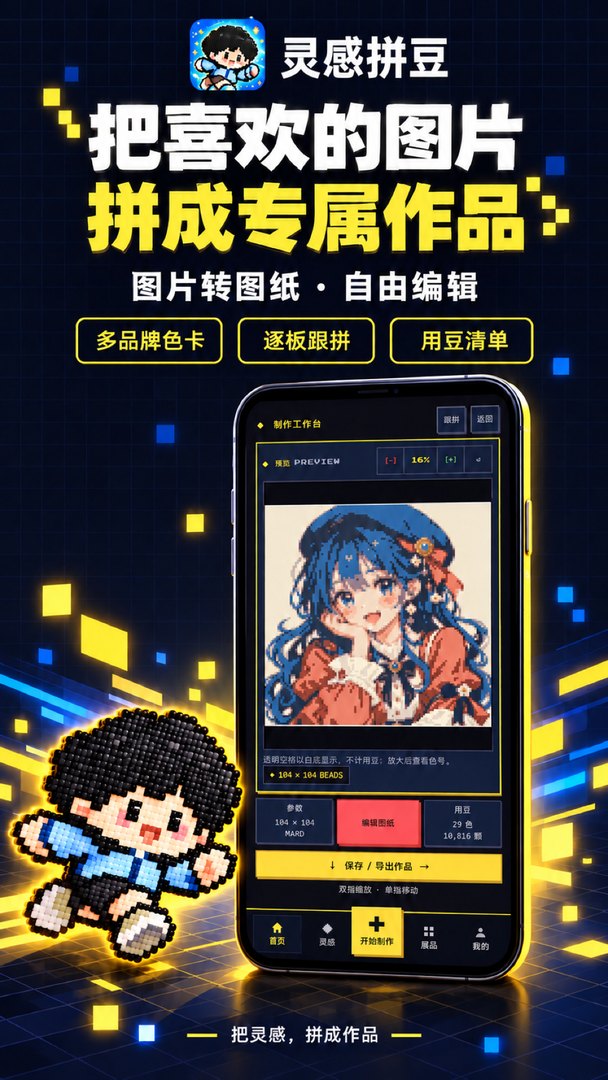
Pick a picture from your gallery or files and generate a bead pattern in one tap. Built-in examples such as portraits and desserts get you started right away.
Home/Products/Inspiration Beads
Inspiration Beads is a fuse-bead pattern maker for HarmonyOS devices. Pick a picture to generate your own bead pattern in one tap, match colours to brand palettes and count your beads, then edit freely, build it board by board and take the pattern with you.
HarmonyOS · Huawei AppGallery
You can also search for "灵感拼豆" in AppGallery on your HarmonyOS device.
Inspiration Beads is made for fuse-bead lovers. Choose a picture from your gallery or files and the app turns it into a bead pattern, matches every cell to the brand palette you pick, and tells you how many colours and beads you need.
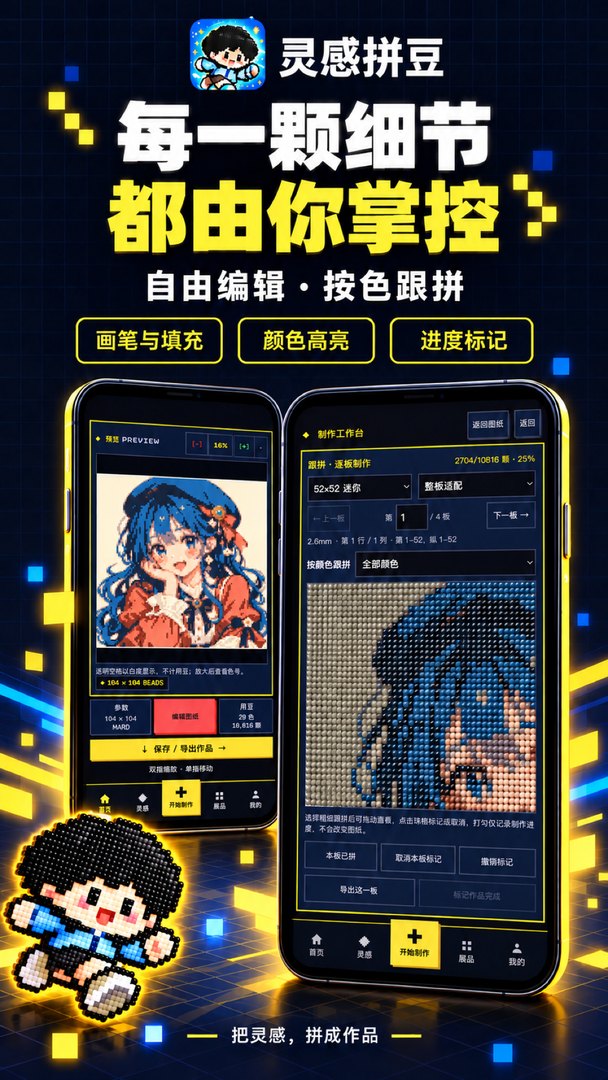
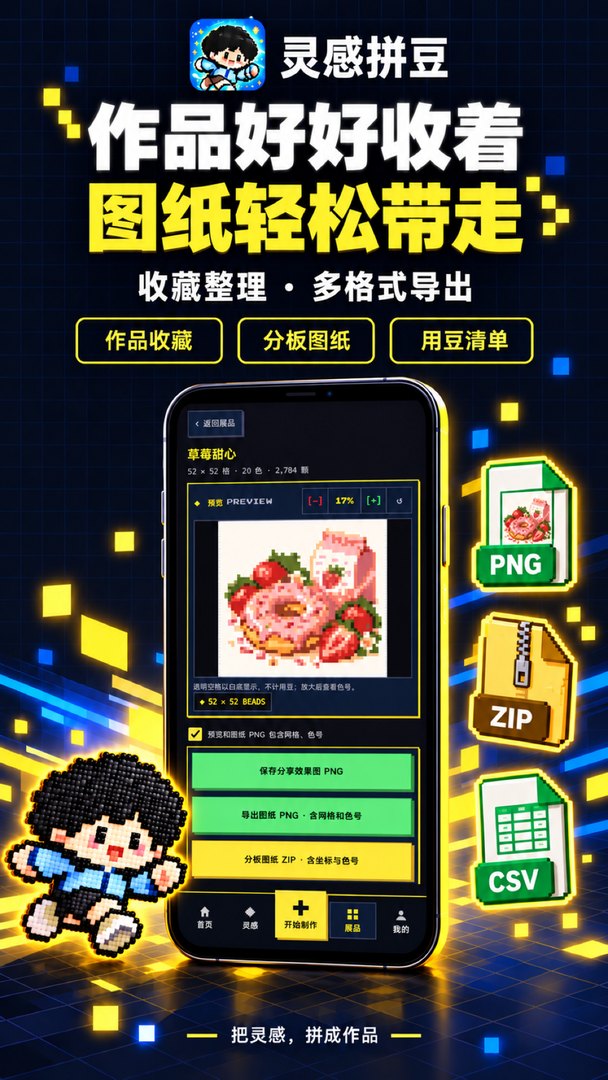
Fine-tune the pattern with brush and fill, and zoom in to check the colour ID of each cell. When you start building, split a large design into boards, follow along one board and one colour at a time, and mark your progress as you go. Finished works are kept in your Gallery, ready to export as a share image, a pattern with grid and colour IDs, board patterns and a bead list.
Short on ideas? Start from the examples on the home screen or the anime motifs and fun stickers in Inspiration. Turn inspiration into bead art.
Pick a picture from your gallery or files and generate a bead pattern in one tap. Built-in examples such as portraits and desserts get you started right away.
Supports MARD, COCO, Manman, Panpan and Mixiaowo palettes, among others, with automatic colour matching for the beads you own.
Touch up with brush and fill, highlight a colour to find it fast, and pinch to zoom into every cell. Every bead is under your control.
Split big designs into boards and build them one board and one colour at a time. Tap cells to mark them done and see your progress at a glance.
Automatically counts every colour and bead you need, so you know what to prepare. Export it as a CSV spreadsheet.
Keep your works in the Gallery and export a share PNG, a pattern PNG with grid and colour IDs, or a board ZIP with coordinates and colour IDs.
Found a problem or have a feature idea? Get in touch and include your device model, app version and a screenshot so we can look into it quickly.
Contact Us →Pick a picture you love and start with the first bead. Turn inspiration into bead art.